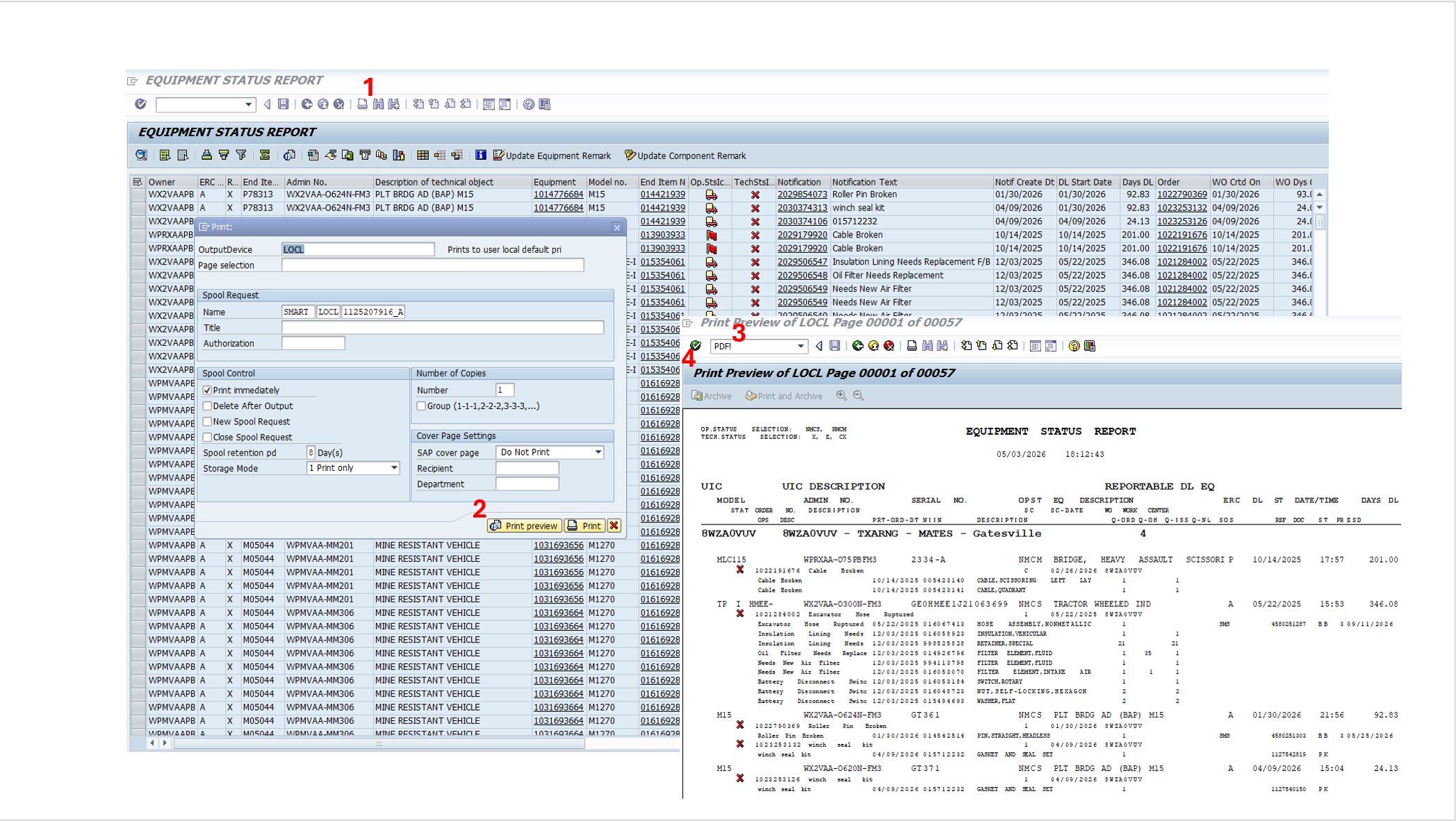
Step 1: Select the first screen option shown in GCSS-Army to move into the report setup.
Step 2: Choose Equipment Status Report on the second screen.
Step 3: Leave the default selection in place unless you need different equipment information.
Step 4: Leave the final default selection in place, then continue so GCSS-Army opens the ESR as a PDF.